Earn XP
Pass a lesson and it adds XP to your total. XP is what moves you up the ranks.
Preview from the game
- Learner0 XP
- Provisional Driver300 XP
- Advanced Driver700 XP
3D driving simulator for new drivers
Get behind the wheel in an interactive 3D driving simulator. Practice driving skills, earn XP, and unlock vehicles as you progress.
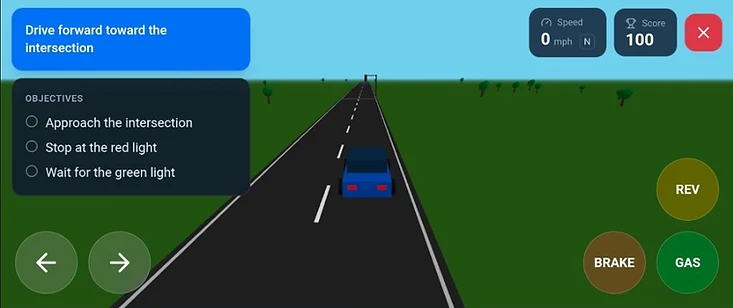
Guest access works straight away — open a lesson and drive with no account at all. Your progress stays in this browser on this device.
Sign up to save your progress across devices.
The game layer
Every lesson you pass feeds the same loop: earn XP, unlock a car, take on something harder.
Pass a lesson and it adds XP to your total. XP is what moves you up the ranks.
Preview from the game
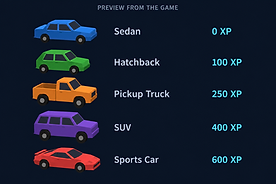
Five cars unlock at set XP totals, and you can take any of them into later lessons.
18 driving activities across five units, from your first stop line to highway merging.
Preview from the game
18 driving activities in five units, plus a Controls Practice Area that sits outside the curriculum.
Pass the Simulated Driving Test to earn the virtual license and unlock Open Drive.
Preview from the game
Earned by passing the Simulated Driving Test, the final stage of the Licensing unit.
Driving skills
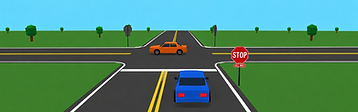
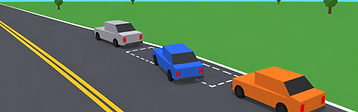
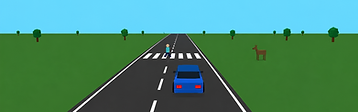
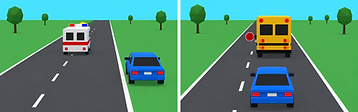
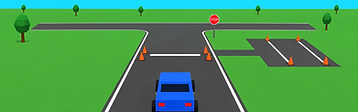
Each one is its own driving scene, with on-screen instructions and feedback on what you actually did.

Yield to circulating traffic, enter on a safe gap, and keep the island on your left.
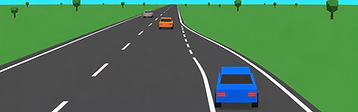
Build speed on the on-ramp and merge into a gap instead of stopping at the bottom of it.
There is also a Controls Practice Area — a large empty lot for moving off, stopping inside a marked box, steering through cone gates, and reversing into a bay. Nothing there is scored, and nothing in it can fail.
Progression
Lessons open in order, Beginner through Advanced, so each one builds on the last. Passing a lesson adds XP, and XP unlocks the cars you can take into later lessons.
Signs, signals, and intersections
Sharing the road and reacting to hazards
Steering, stopping, and precise control
Highway speed and traffic stops
Simulated test, license, and open drive
Each car unlocks at a set XP total.
Earned by passing the Simulated Driving Test, the final stage of the Licensing unit. It unlocks Open Drive — one long route of signals, crossings, and surprises.
Your LicenseSim Virtual License recognizes completion of simulator training. It does not grant legal driving privileges.
Driving guides
Short, practical guides that explain the skills the simulator practices.
Questions
No. Guest access works immediately — you can open lessons and drive without signing in. Your progress is kept in this browser on this device.
Your XP, completed lessons, unlocked vehicles, and past attempts are saved to your account instead of this browser, so they follow you to another device. Guest progress on the device you are using is merged into your account when you sign in.
No. The LicenseSim Virtual License recognizes that you completed the simulator’s lessons and passed its Simulated Driving Test. It is not a driver’s license, it is not issued by any government agency, and it grants no legal driving privileges.
No. LicenseSim is an independent educational simulator. It is not affiliated with, endorsed by, or approved by any DMV or government agency, and it does not replace a state-approved driver education course.
A modern desktop or mobile browser with 3D graphics (WebGL) enabled. On a desktop or laptop you drive with the keyboard; on a phone or tablet, on-screen steering and pedals appear instead.
Landscape gives the best driving view. Rotate your device before or after starting a lesson — the simulator also offers a control to rotate the view if your device does not rotate on its own.
The curriculum opens in order, Beginner through Advanced, so each lesson builds on the last. The Controls Practice Area sits outside that order and is open at any time.
Some do. Collisions, running a stop sign, and running a red light end the lesson with feedback on what went wrong. In Open Drive, mistakes only flash a warning so you can keep driving.
No. It is a large empty lot for moving off, stopping inside a marked box, steering through cone gates, and reversing into a bay. Nothing there is scored and nothing in it can fail.